
If you have forgotten your password or are having issues logging in, please follow the instructions below.
Step 1:
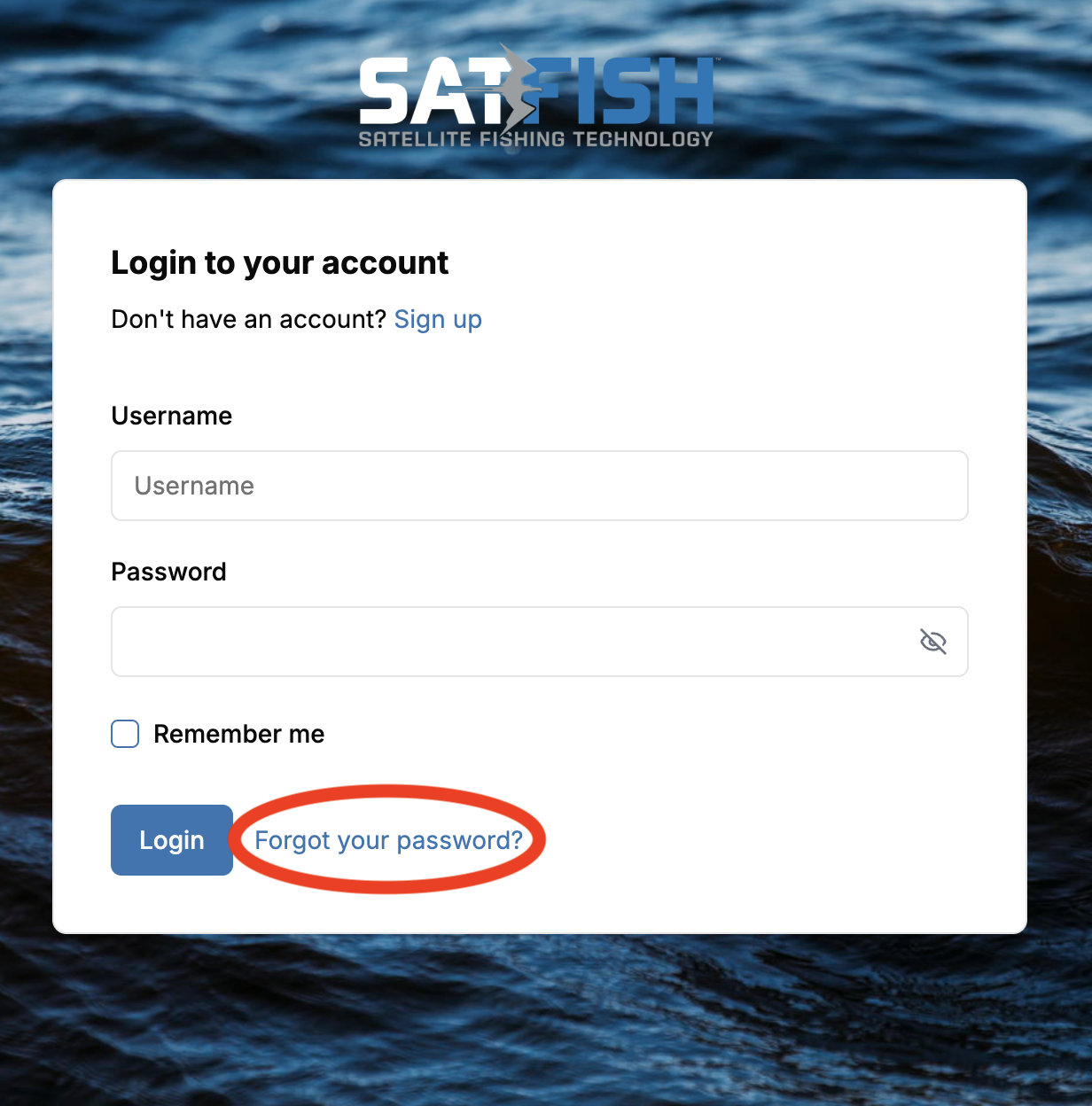
Please click here to reset your password or click the "Forgot Password" button below the login menu.
Step 2:
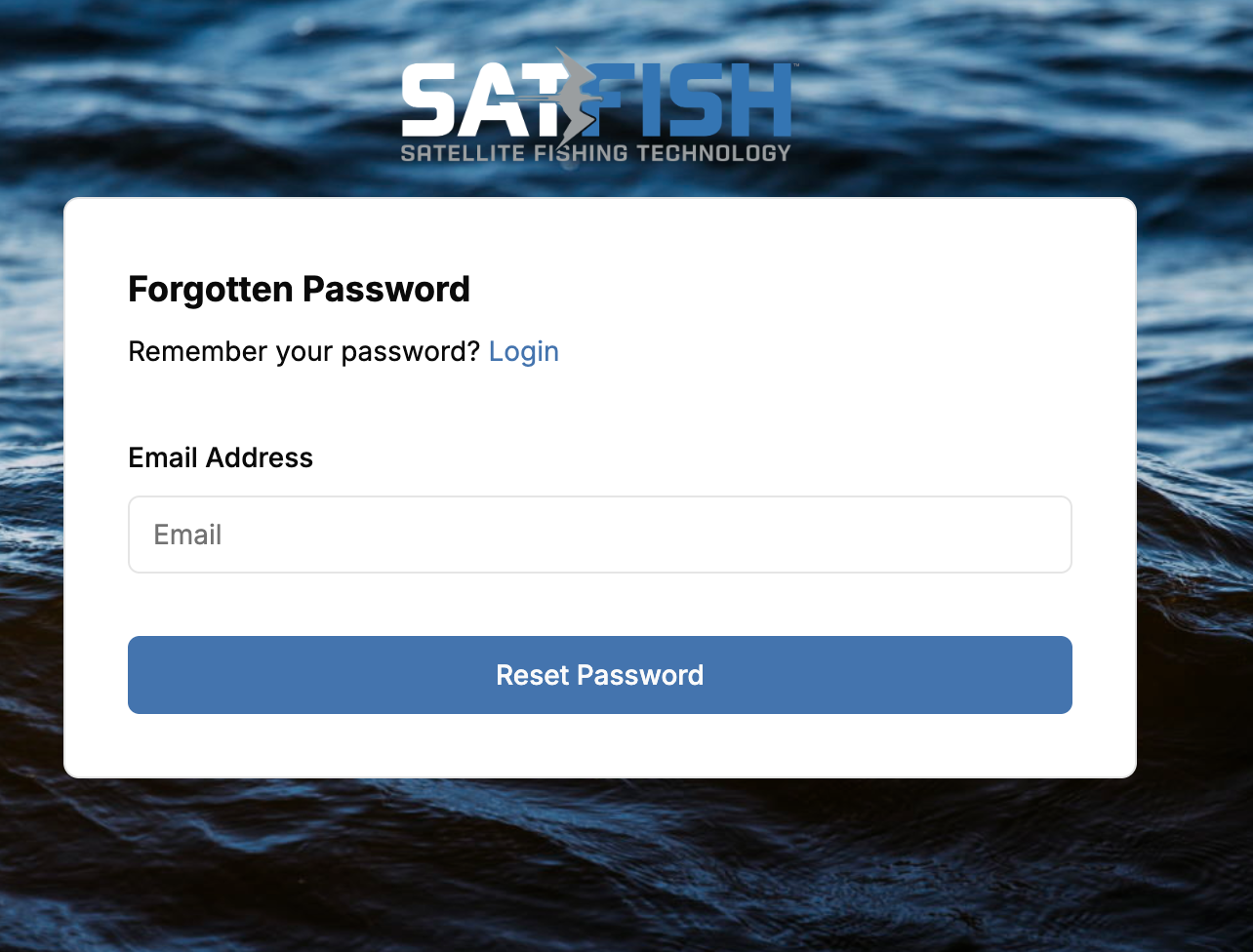
Enter the email associated with your account, and click "Reset Password". You will receive an email with a link to reset your password. Please open the link and follow the instructions to reset your password.
Step 3:
Log in with your email/username and the new password that you created.
If you have any more issues logging in, please send us a support ticket or email satfish@support.com.