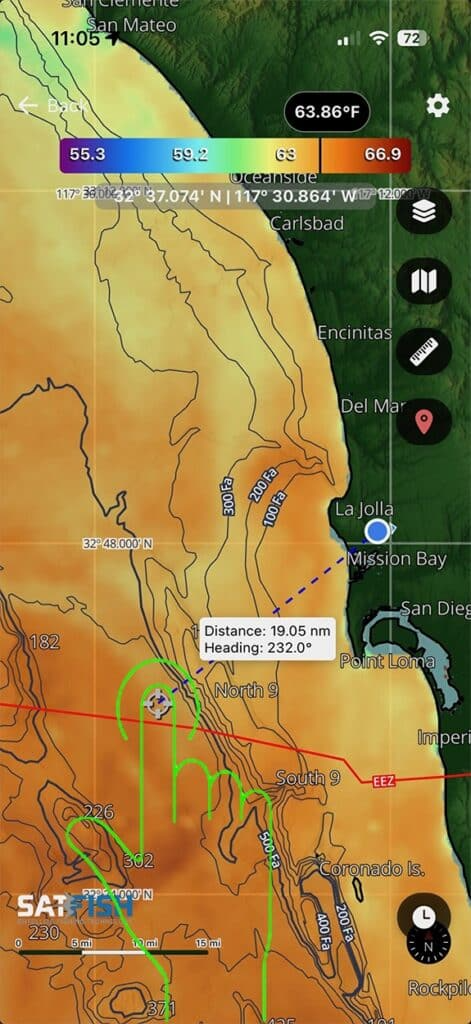
Yes! When this tool is enabled, will allow you to measure distance from your exact GPS position. This will also give you the heading to the point that you set. On the water and want to know the distance to the next temp break, fishing locations, or even going back to the dock? This is the tool to use!
Here is how to use it:
Step 1:
Enable the Distance and heading from your GPS position by clicking the balloon icon. This will show your GPS location on the map.
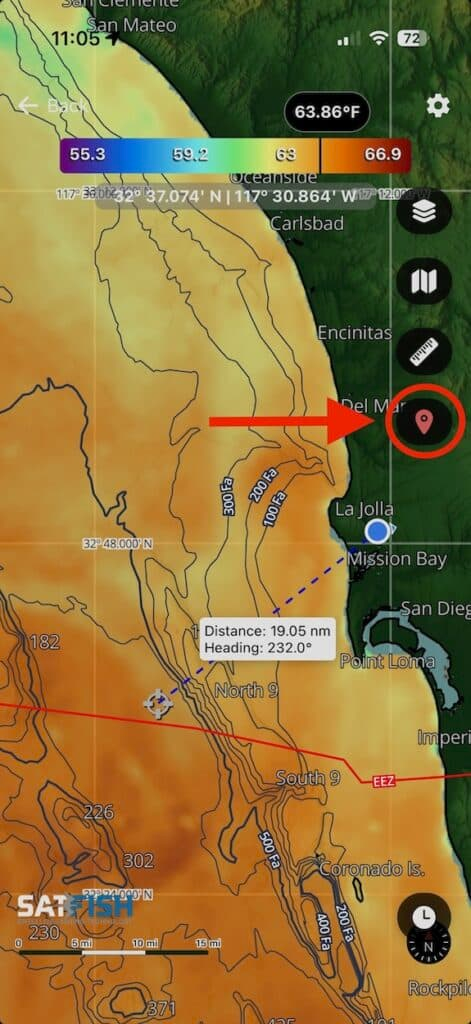
Step 2:
Once enabled, your GPS location will appear as a blue and white dot with a dashed line extending from it. You can adjust the line’s distance and heading by tapping your desired location on the map.