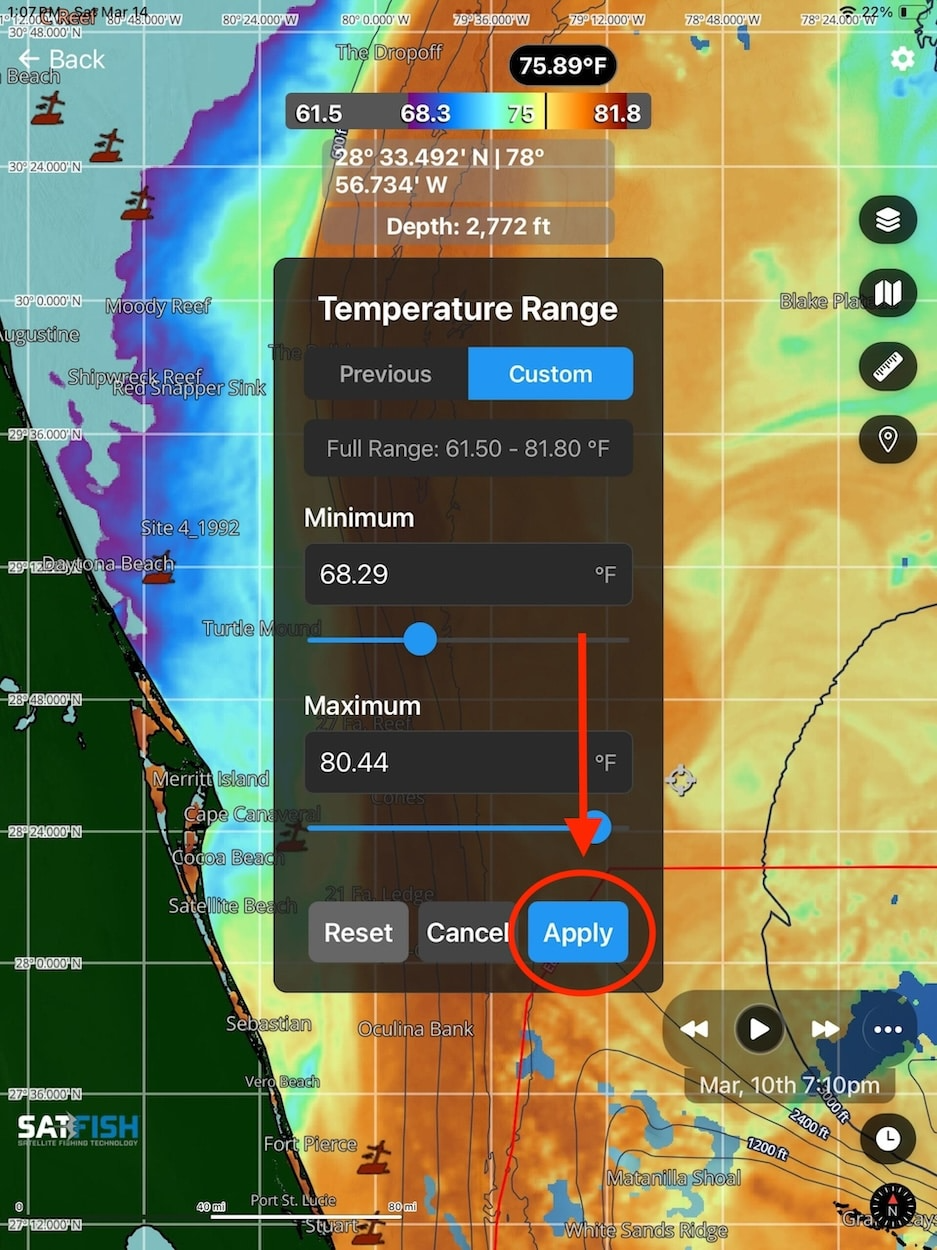
This adjustable scale is very useful for honing in on subtle breaks and fronts that can be difficult to identify when temperatures vary widely across a region. By narrowing the display to specific temperature and color ranges, you can focus your search on the most productive water for your target species and quickly eliminate less promising areas.
Check out this video to help guide you through using the adjustable SST and chlorophyll range feature, or look at the step-by-step guide below.
Having trouble watching the video? Click Here to watch on YouTube
Step-by-Step Guide:
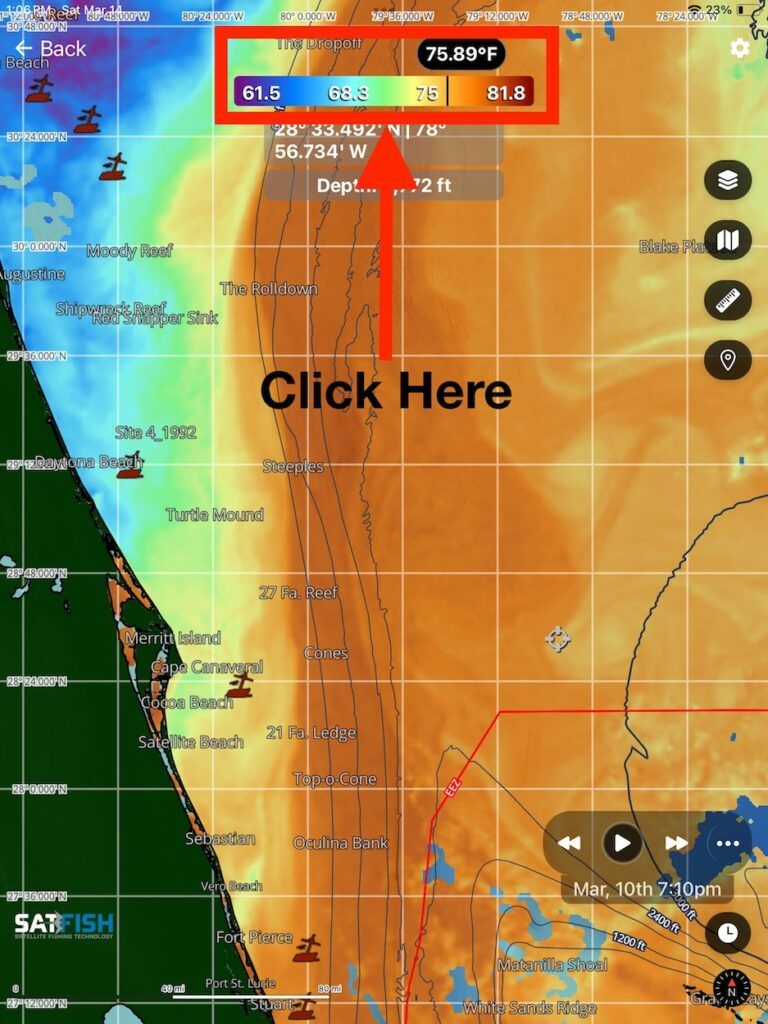
Step 1:
Tap on the scale bar at the top of the map window
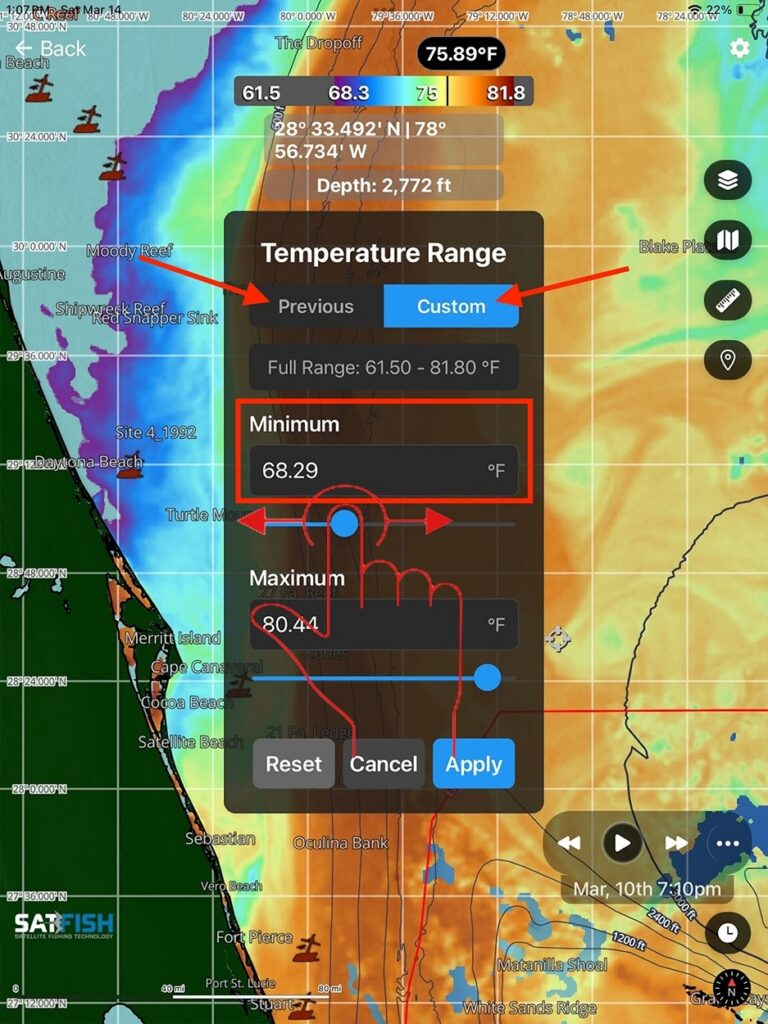
Step 2:
Enter your desired range by typing values into the minimum and maximum boxes or by adjusting the slider. If you’d like to view a previously created range, click the “Previous” tab at the top of the Temperature Range pop-up menu.
Step 3:
Once the desired temperature/chlorophyll range is input, click “Apply” to display the range on the map.